Introduction
Every day, we snap pictures, download music, and save files that actually matter to us. But let’s be honest—phones get dropped, laptops crash, and sometimes everything disappears in seconds. That feeling? It’s frustrating.
That’s exactly where Best Free Cloud Storage for Personal Use comes in.
Instead of risking your important files, cloud storage keeps everything safe online—so even if your device fails, your data doesn’t. You can access your photos, documents, and memories anytime, from anywhere.
And the best part? You don’t have to spend money. Many platforms offer cloud storage for personal use, completely free, no credit card, no hassle.
Let’s explore the best options and find the one that fits you perfectly.
What Is Cloud Storage

Imagine having a giant invisible closet floating somewhere on the internet. That’s basically what cloud storage is. You toss your pictures and files into this closet by uploading them. Special computers called servers keep everything organised and protected for you.
Whenever you need something back, just connect to the internet and grab it. Your actual phone or laptop doesn’t hold these files anymore. They live safely in the cloud instead. Even if your device gets smashed, your memories survive just fine.
Why People Use Cloud Storage for Personal Use
Lots of folks have discovered how helpful cloud storage can be. When your laptop dies unexpectedly, your work documents stay completely safe in the cloud. Got a new phone? Transfer everything over without those annoying cables.
Want to show grandma pictures from vacation? Send her one simple link instead of a hundred separate files. Is your device running out of room? Move older stuff to the cloud and breathe easy. Since many services cost nothing, trying them out makes total sense. Personal cloud storage just makes modern life work better.
Benefits of Free Cloud Storage
Getting cloud storage without paying brings some really nice perks. Friends receive files from you instantly, no USB drives required. Most free accounts hand you several gigabytes right away, enough for regular folks. You’re free to test different companies until finding your favourite. The price tag of zero dollars makes this decision incredibly easy.
Best Free Cloud Storage Options
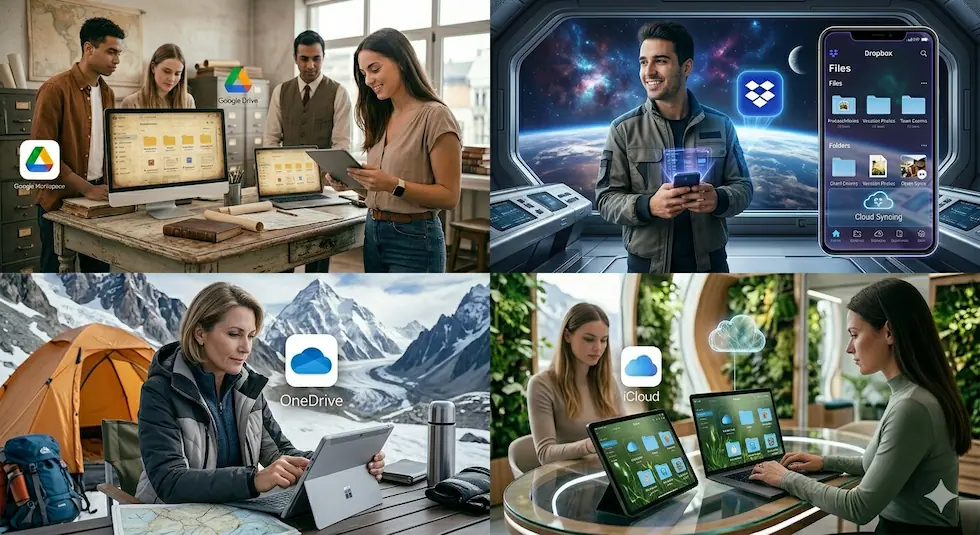
Google Drive
Google hands out 15GB free when you sign up for Drive. That’s enough space for thousands of photos or tons of documents. Everything connects smoothly with Gmail and Google Photos, too. You can even write papers or make spreadsheets without leaving Drive. Changes you make get saved across your phone and computer instantly.
My experience:
I use Google Drive for saving documents, PDFs, and even some photos. The best part is how easily it connects with Google Docs, Sheets, and Slides. You don’t even need Microsoft Office.
Example:
Let’s say you’re working on a college assignment. You can:
- Write in Google Docs
- Save automatically
- Access it later from your phone
No need to carry a laptop everywhere.
Best for:
- Students
- Bloggers
- Daily file storage
Try here: https://drive.google.com/
Dropbox
While that sounds small, the service earned its reputation through serious reliability. Files zip back and forth between devices super fast here. Invite some buddies to join, and Dropbox rewards you with bonus space. Their app looks clean and never confuses anyone with complicated menus. Dropbox picked one job-syncing files perfectly, and absolutely nailed it. Sometimes simple beats fancy, and Dropbox proves that every day.
My experience:
I’ve used Dropbox mainly for transferring files between devices. It feels very smooth and clean, especially when you just want quick file access.
Example:
Upload a file on your laptop → instantly available on your phone
Best for:
- File sharing
- Quick backups
- Simple use
Try here: https://www.dropbox.com/
OneDrive
Microsoft’s OneDrive throws 5GB your way for free right off the bat. Windows users especially love how naturally it fits their computers. Already working with Word or PowerPoint? OneDrive makes saving and sharing those files effortless. You can set it to automatically protect your desktop and documents folders. Sharing stuff with classmates or coworkers happens through easy permission settings. The apps run great whether you’re Team Android or Team iPhone.
My experience:
If you use Word, Excel, or PowerPoint, OneDrive feels very natural. Everything syncs automatically.
Example:
Save a Word file → it automatically saves to OneDrive → access anytime
Best for:
- Windows users
- Office work
- Students
Try here: https://onedrive.live.com/
iCloud
Photos taken on your iPhone appear on your iPad seconds later. Contacts, notes, and settings follow you between devices without thinking about it. Everything updates constantly in the background while you do other things. Windows folks and Android users won’t love it quite as much, though.
iCloud is super useful for automatic backups. You don’t have to think much—it just works in the background.
Example:
Take a photo on iPhone → it automatically saves to iCloud → available on your Mac
Best for:
Automatic backups
Apple ecosystem
Try here: https://www.icloud.com/
How to Choose the Best Free Cloud Storage
You need not get lost as you pick your cloud service. Begin by determining how many gigabytes of storage you actually require to store your stuff. Consider the process of whether you use Apple products, Windows machines or both.
Do you need to deal with documents online, or do you only need to have completed files? Note which apps are comfortable when you are literally clicking around. Real-life review of checks by people who have used such services for months or years. The ideal thing will somehow seem not visible; it will not be an additional burden to your daily routine.
Tips to Use Cloud Storage Safely
It will only require a few wise measures to keep your cloud files safe. Create passwords consisting of a random combination of upper and lower case letters, numeric characters, and symbols. Turn on two-factor authentication, whereby you are sent a code via text before you can log in. Your password should not be disclosed to anyone, including your relatives whom you can trust.
Every now and then, check the phones and computers that have access to your account. Do not upload things such as passport scans or credit card numbers to the cloud. Take a look at the privacy regulations so that your data can be explained. Even a modicum of precaution will save a lot in defending what is at stake.
Pros and Cons of Free Cloud Storage
| Pros | Cons |
| Costs zero dollars | Space runs out eventually |
| Grab files anywhere | Ads might pop up sometimes |
| Backs up automatically | Uploads can feel slow |
| Share easily | Privacy isn’t guaranteed |
| Multi-device support | Missing advanced tools |
Conclusion
By personal use of cloud storage, our protection of digital lives is changing. You save your valuable photos and other valuable files without having to empty your wallet. Google Drive, Dropbox, OneDrive and iCloud have their own offer.
One that suits you will be dependent on the gadgets, storage requirements, and your preferences. Never leave out potent passwords and protection settings to ensure that everything is tightly secured. Get into cloud storage and never lose any files again.
FAQs
Q1: Is free cloud storage really safe for personal files?
Yes, mostly, with large firms, where the reputation plays a crucial role. Improve the level of safety by using a strong password and two-step authentication (where available).
Q2: Is it possible to upgrade somewhere ahead to a paid storage?
Sure thing! Each of the significant services is easy when upgrading, as your picture album surpasses the free quota. Only a few clicks are usually required.
Q3: How large does most individuals use their storage to receive?
In general, ordinary people should be satisfied with 5GB to 15GB of daily photos, documents, and videos. More is required by heavy users later on, however.
Q4: Will my files disappear if I stop using the service?
They stick around, but accounts sitting untouched for many months might get closed. Log in occasionally, and you’ll stay active without issues.
Q5: Can I use multiple cloud storage services together?
Absolutely! Smart people often split their stuff across different services to maximise free storage. Nothing wrong with that approach at all.